Email settings
Configure email notifications, sender details, and weekly digest settings for AllFeedback survey responses and summaries.
Last updated on Jun 22, 2026
Email settings
Email settings control how AllFeedback sends notification emails and weekly digest summaries. You can configure sender details, send a test email to confirm delivery, and preview your weekly digest before it goes out.
Accessing Email Settings
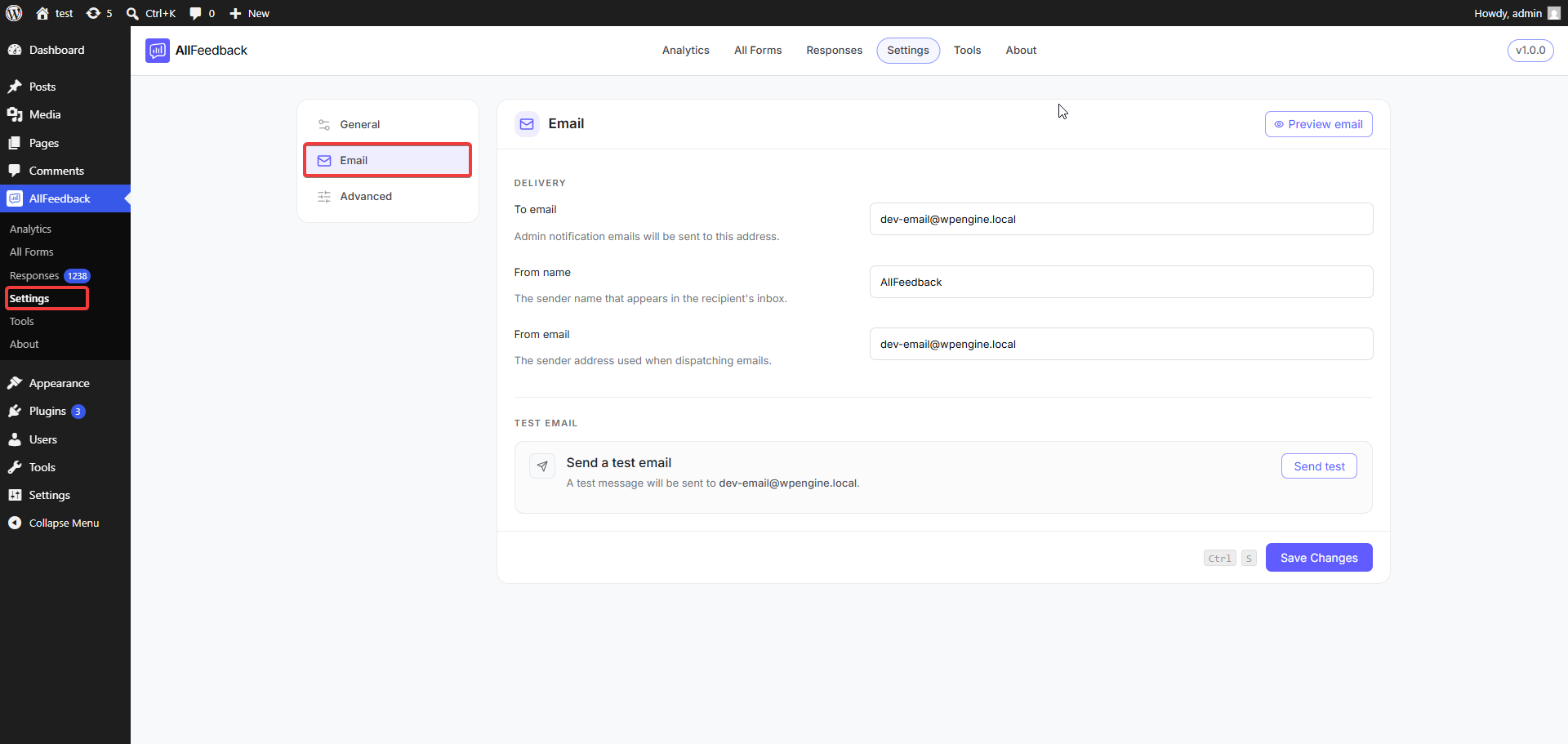
Go to wp-admin → AllFeedback → Settings → Email.
Delivery Configuration
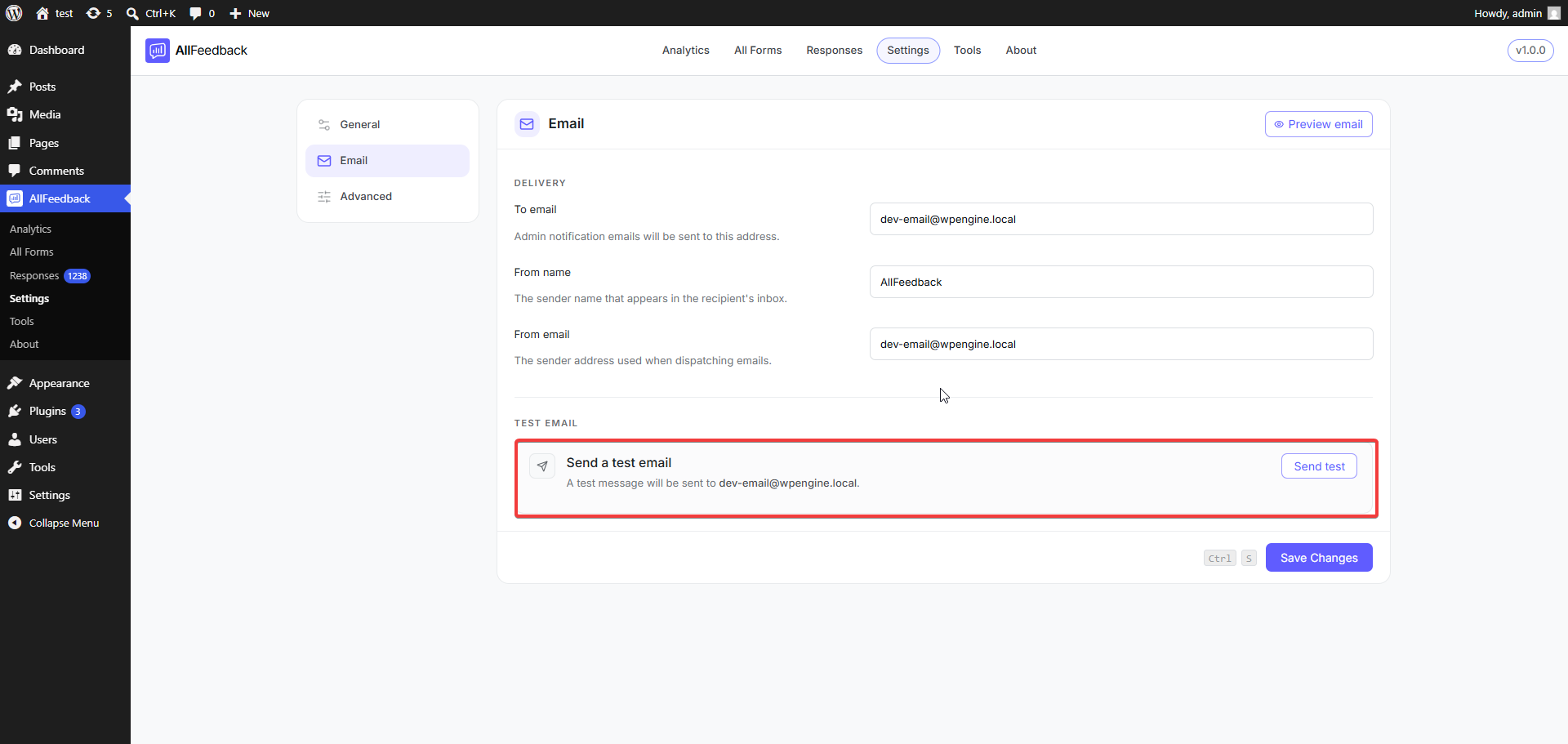
The Delivery section controls who receives emails and how they appear to recipients. It has three fields.
To email
The address that receives notification emails about new survey responses and the weekly digest. If you leave it blank, notifications go to your WordPress admin email address (set under wp-admin → Settings → General).
From name
The sender name recipients see in their inbox. You can also set this during the Setup Wizard when you first activate the plugin.
From email
The address shown as the sender when AllFeedback sends emails. It must be a valid email address, and can also be set during the Setup Wizard.
Previewing the Weekly Digest
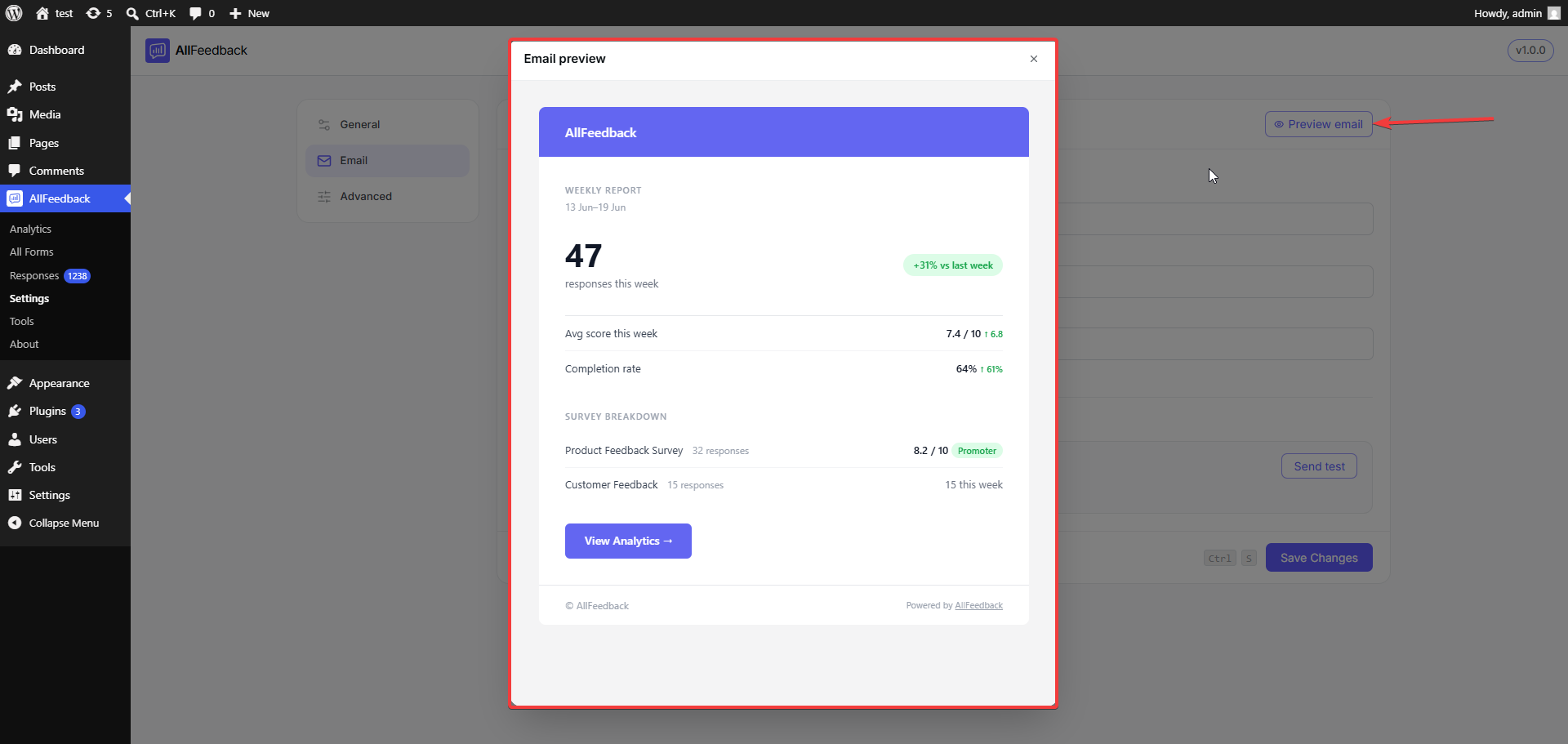
Click the Preview email button at the top of the Email settings to open a preview of the Weekly digest email. It renders the digest exactly as recipients will see it (using your From name), so you can check the layout before any digest goes out. Closing the preview doesn't send anything.
Testing Email Delivery
Before you rely on notifications, verify that your site can send email:
Go to wp-admin → AllFeedback → Settings → Email
In the Delivery section, make sure a To email is set — the Send test button stays disabled until you enter one
In the Test email section, click Send test
Check the inbox of the To email address
The test email is sent through the same delivery pipeline as real notifications, using your configured From name and From email, so a successful delivery means your notifications should work too. The subject line is "[Your Site Name] Test email from AllFeedback."
If the test email doesn't arrive, your WordPress site may not be configured to send email correctly. Check wp-admin → Tools → Site Health for email-delivery warnings, and consider installing an SMTP plugin to improve deliverability.